Unlock the latest enhancements
Stay ahead with real-time enhancements, feature launches, and important announcements—this section keeps you informed and empowered to maximize your Backbone experience.


What’s coming at Backbone

Backbone Lab

Added
What will be added
We are launching Backbone Lab, our innovation hub dedicated to building the next generation of AI-powered tools for real estate marketing. From Photo to Video to AI Brochures to AI Workflows, the Lab is where new products take shape and reach early adopters first.
How it will benefit you
You stay ahead of where real estate marketing is heading. Test the tools that will shape your work next, give direct input on how they evolve, and use the latest AI capabilities to differentiate your listings before the rest of the market catches up.
Multiple workspaces, one login
Added
What will be added
Your Backbone account will soon be able to belong to several workspaces at once, each with its own team, branding, billing, and plan. Brokers with a personal workspace will be able to join their agency's workspace without merging accounts, and admins will be able to invite members, manage seats, and run separate billing per workspace.
How it will benefit you
Switch between workspaces in one click from the header. Keep your personal projects, your agency, and any other business you work with cleanly separated, while accessing everything from a single login. For admins, manage your team and your subscription per workspace without juggling multiple accounts.
New purchase Flow

Improved
What will be improved
We're redesigning how you order products with a property-first approach. Select your property once, then add any product: photos, virtual tours, energy certificates, floorplans, all in the same cart. No more separate orders for different services for the same address.
How it will benefit you
Order everything you need for a listing in one transaction. Your property details are already filled in, so no re-entering addresses or area. Fewer clicks, one streamlined checkout, and all products delivered for the same property. Fast and simple.
What’s new at Backbone
September 1, 2026
Backbone, now inside Propstack
Added
What has been added
If you manage properties in Propstack, you can now order our on-site services directly from the property page: photos, videos, virtual visits, floor plans, and on-site measurements. No separate login, no re-entering the property.
How it benefits you
One less system to juggle. Place a capture order the moment a mandate is ready, track its status, and see your delivered visuals, all inside the Propstack workflow you already use.

Learn more
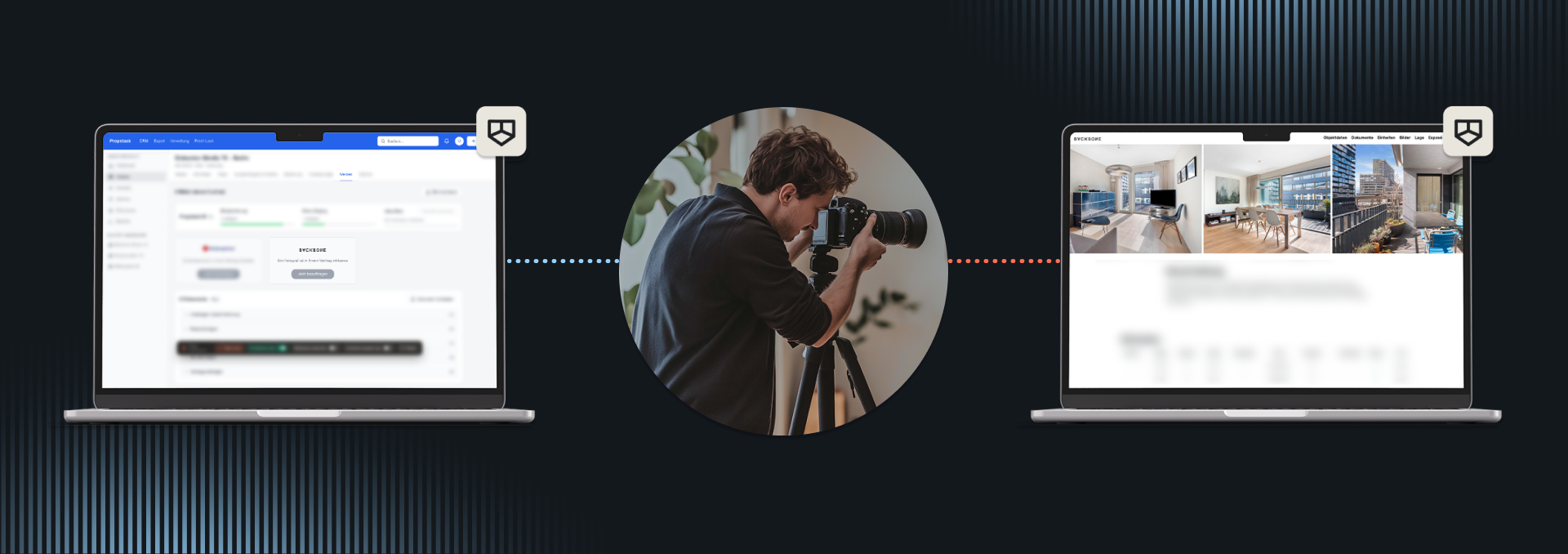
What has been added
Backbone is now built directly into Propstack, so ordering on-site capture services no longer means leaving your CRM.
- Order photos, videos, virtual visits, floor plans, and on-site measurements straight from the property page
- Your property details are already there, no retyping addresses or reference numbers
- Track shooting status, reschedule, or cancel from the same place you placed the order
- Delivered visuals land directly in your Propstack gallery
How it benefits you
You stop switching between Propstack and a separate Backbone login to book a shoot. Orders go out the moment a mandate is ready, and your delivered photos, floor plans, and tours show up right where you're already working. Fewer steps, fewer places to check, less waiting on someone else to place the order for you.
Order from Propstack

Back to preview
August 21, 2026
On-Site Area Report, simplified
Improved
What has been improved
Ordering an On-Site Area Report is simpler now. Pick your property type, set up your cellar and attic, and see your price before you order.
How it benefits you
No more per-room fees. No surprises on the final invoice.
Learn more
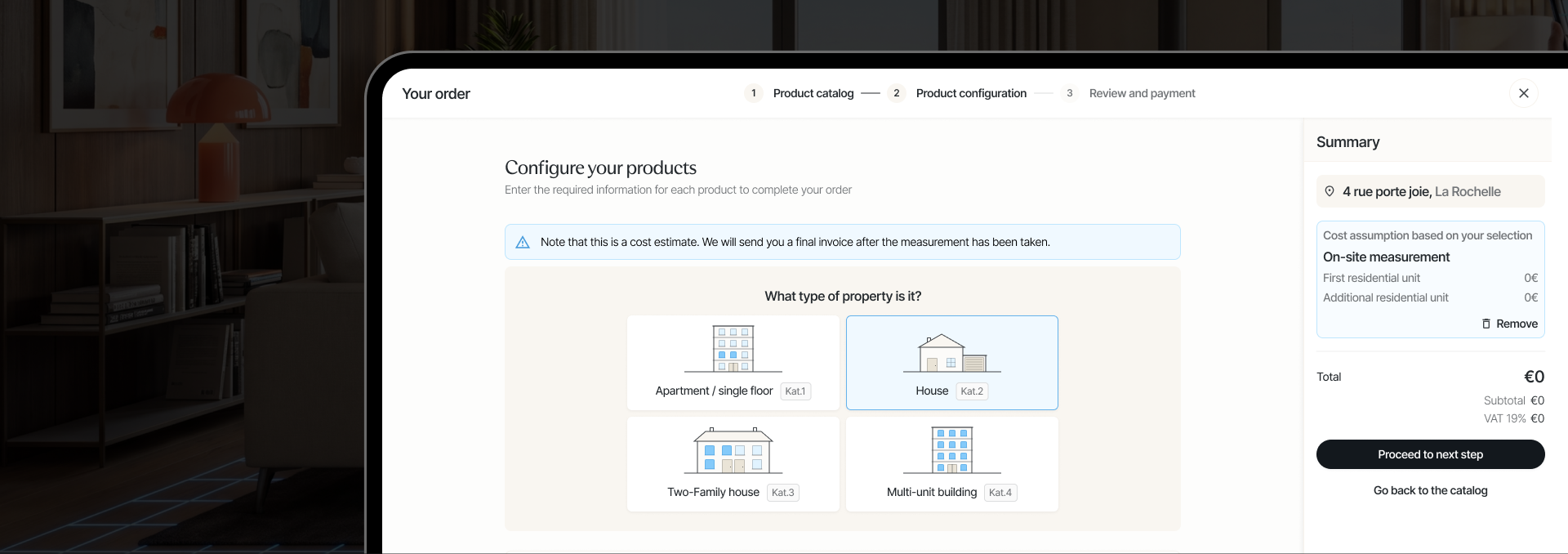
What has been improved
We rebuilt the ordering flow for On-Site Area Report to remove its most common pain point: paying by room count.
- Choose your property type first: apartment, house, or multi-unit building.
- Set your cellar and attic separately. Tell us if either exists, and whether it should be measured.
- Multi-unit buildings are priced per residential unit, not by total room count.
- Extra floors are priced individually, so you only pay for what actually needs measuring.
How it benefits you
If you've ordered this before, you don't need to count rooms anymore. Just pick your property type instead. It's also faster: fewer fields to fill in before you see your price.
Explore On-Site Area Report
Back to preview
August 20, 2026
Workspace management, rebuilt
Added
What has been added
You can now belong to multiple workspaces under a single login, switch between them in one click, manage your subscription entirely self-serve, and transfer properties between workspaces directly from the platform.
How it benefits you
No more lost properties when changing plans. No more confusion when joining your agency. Your account, your team, and your properties stay exactly where they belong.
Learn more
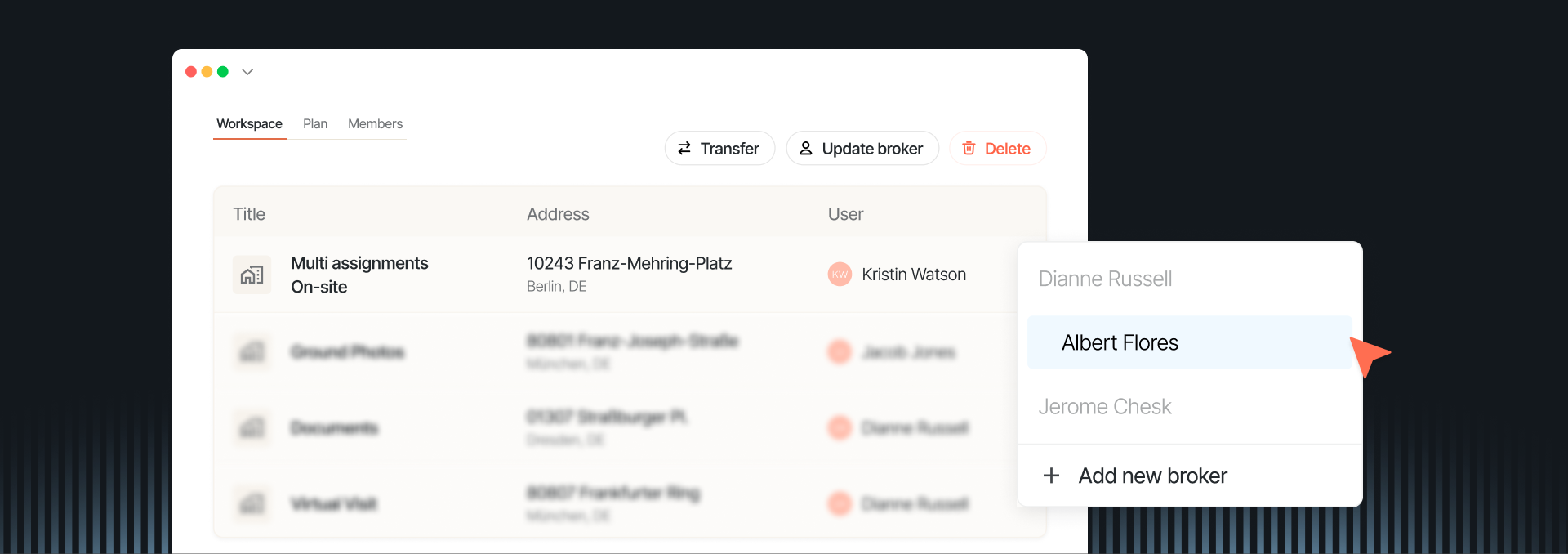
What has been added
We rebuilt workspace management to match how brokers and agencies actually operate, independently, as part of a team, and sometimes both at once.
- Workspace switcher in the nav: belong to multiple workspaces simultaneously and move between them in one click, with properties, orders, and settings always filtered to the workspace you are in
- Subscription in place: upgrading from a free to a paid plan happens within your existing workspace, your properties stay, nothing is left behind
- Self-serve subscription management: subscribe, upgrade, or cancel directly from workspace settings, at your own pace
- Property transfers: admins can move properties from one workspace to another where they hold admin or full member access
- Workspace deletion with grace period: if you cancel a paid workspace, it stays active until the end of your billing cycle, then closes cleanly
How it benefits you
A broker joining their agency's workspace no longer loses access to their personal properties. Both workspaces coexist, accessible from the same login. An agency onboarding its team gets one unified workspace with all members, orders, and properties in a single view. And when you change your plan, nothing moves unless you decide to move it. The platform now reflects the way your business is actually structured, without workarounds, manual fixes, or support requests to keep things in order.
Open my workspace
Back to preview
August 10, 2026
AI-edited photos, now easy to label
Added
What has been added
We added a reminder and a new AI label panel to our Photo Studio. Pick a badge design or write your own text, then place it directly on the photo.
How it benefits you
You don't have to research the EU's new labelling rules or design your own compliant badge, we already did that groundwork for you. And the reminder sits right in the editing panel, so you don't have to remember the requirement on your own each time you edit a photo.
Learn more
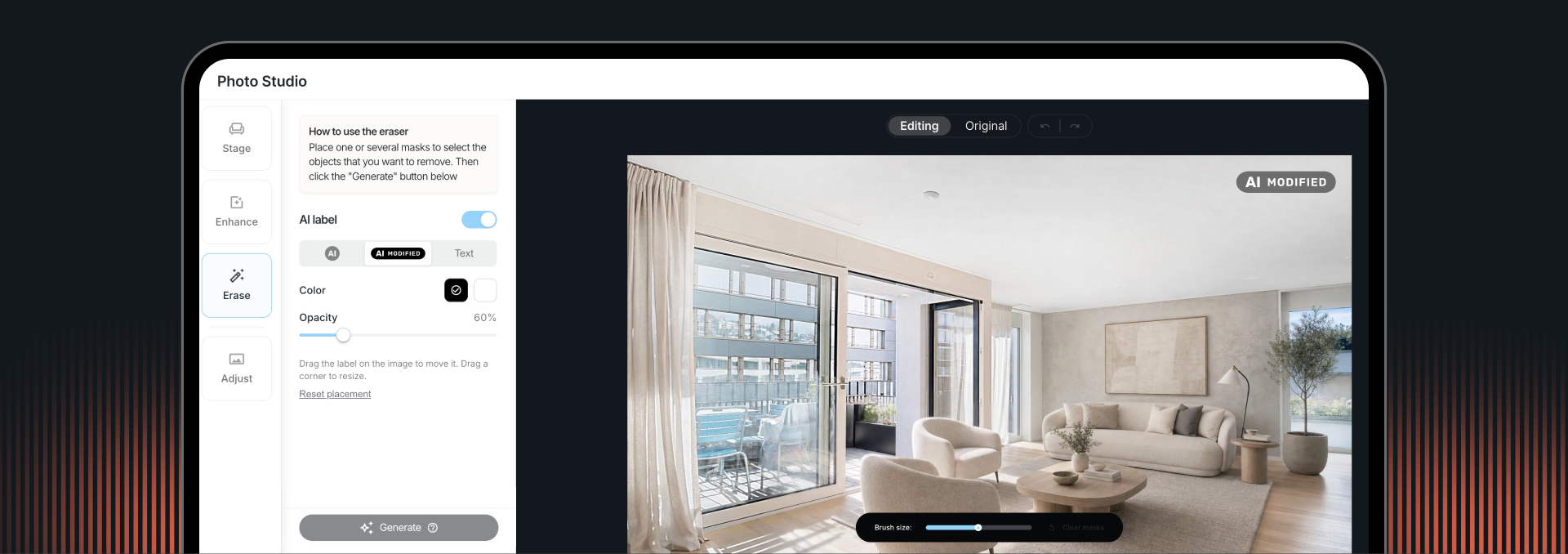
What has been added
The EU AI Act now requires a visible label on AI-edited property photos published from August 2, 2026. We built the tools to add that label right where you create the image.
- A reminder appears in Photo Studio if you haven't added a label yet.
- Choose your label type: an AI badge, an "AI Modified" badge, or your own custom text.
- Pick black or white for the label colour.
- Adjust the opacity between 50 and 100 percent, so the label still stands out against the photo.
- Drag the label directly on the photo to move or resize it.
- Nothing is turned on automatically. You decide if and when to add a label.
How it benefits you
The label is burned into the photo when you save it, so there's nothing to add later in another tool, and it looks the same wherever the listing gets published. Since colour and placement are yours to control, the label fits the photo instead of looking like an afterthought. And because it's built into Photo Studio, the same tool you already use, staying compliant doesn't mean learning something new.
Read the EU AI labelling guide
Back to preview
July 24, 2026
Ordering, now live in your CRM
Improved
What has been improved
You can now place a full Backbone order without ever leaving your CRM. Pick a property, choose from the products negotiated for your account, and send the order straight from your own system.
How it benefits you
One motion instead of two. No separate login, no retyping the property, no waiting for someone to place the order by hand on the Backbone side.
Learn more
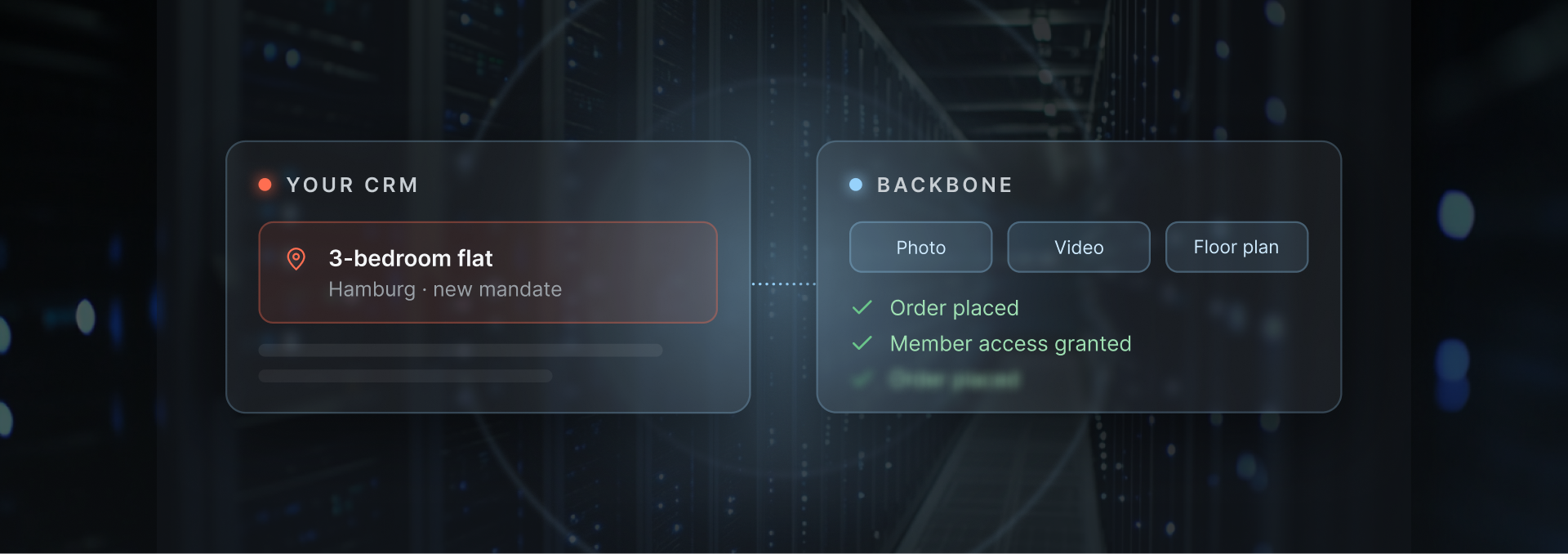
What has been improved
This was the last piece missing after status sync. Now it's live too.
- Start with a session for the user and the property, using your own reference IDs
- See only the products negotiated for your account, at your rates
- Place the order in one call: the property, the products you chose, and how we access it
- Delivery speed, property owner details, comments and billing references stay optional
- Works together with the reschedule, cancel and status updates already live
How it benefits you
One workflow instead of two. You stop switching between your CRM and Backbone to book a shoot. Fewer support questions. Fewer mistakes from retyping property details. Orders go out the moment a mandate is ready, not whenever someone remembers to log in elsewhere.
Explore the API docs
Back to preview
