Unlock the latest enhancements
Stay ahead with real-time enhancements, feature launches, and important announcements—this section keeps you informed and empowered to maximize your Backbone experience.


What’s coming at Backbone

Express Shooting

Added
What will be added
You’ll be able to book a shooting within the next 48 working hours, including on the same day. Once you’ve ordered, we look for an available creative near the property and confirm your shooting within 30 minutes. If no creative is found in time, you can reschedule or cancel, and the express fee isn’t charged.
How it will benefit you
Today, a shooting has to be booked at least 48 working hours in advance. With Express Shooting, urgent requests no longer have to wait, and you don’t need to contact a creative yourself to find a short-notice slot.
What’s new at Backbone
November 13, 2025
Extended Blur
Added
What has been added
Extended Blur is now available for editing products (Basic, Advanced, Expert). You can purchase additional photos directly from your gallery—both blurred and non‑blurred versions.
How it benefits you
Stay GDPR-compliant while keeping full flexibility—get both versions and expand your selection after seeing the results.

Learn more
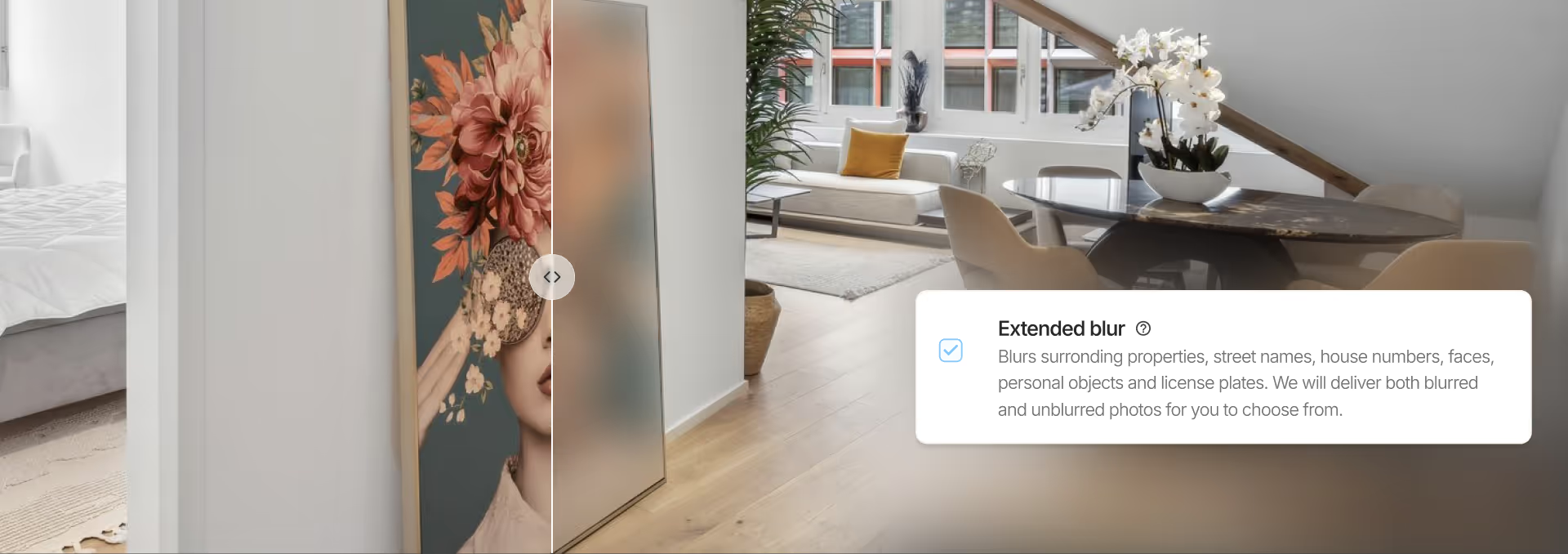
What has been added
Extended Blur is now available for editing products (Basic, Advanced, Expert)—with the same gallery purchase flexibility you already enjoy with photography services.
What it means:
- Order editing with Extended Blur (Basic, Advanced, Expert)
- Receive both blurred and non‑blurred versions of each photo in your gallery
- Review your edited results
- Purchase additional photos directly from your gallery if you need more—both versions available
Why it matters
Perfect for maintaining GDPR compliance while staying in control of your listing. Blur license plates, neighboring properties, or personal items during editing, then expand your photo selection after seeing the final results. Purchase only what you need, when you need it.
Book your next editing

Back to preview
November 12, 2025
Backbone Mobile App

Improved
What has been improved
We simplified the mobile app by removing extra steps and adding automatic photo enhancement—just shoot and go.
How it benefits you
Take professional property photos on-site without approval screens, or waiting. Your photos are enhanced automatically and ready to use in seconds.
Learn more

What has been improved
- Photos are now enhanced automatically—no more tapping "approve" or selecting which ones to edit
- Your gallery shows only the enhanced versions to keep things clean and organized
- Tap any photo to access both the original and enhanced version for download
- No more property information requests interrupting your workflow
- Quick help tutorials when you need them
- Easier photo selection before uploading
- Newest photos appear at the top of your gallery
How it benefits you
No more tapping through approval screens or filling out forms during property visits. The simplified workflow saves you time on every shoot, and the cleaner gallery makes it easier to find and download the photos you need.
When you're rushed between appointments, these removed steps add up—you can now finish photographing a property and move on without waiting for processing or navigating through confusing menus.
Download the app
Back to preview
October 3, 2025
Enhanced SEPA Payment Transparency

Fixed
What has been fixed
We enhanced SEPA payment transparency by automatically including order IDs in bank statement descriptions for easier tracking.
How it benefits you
Your bank statements now clearly identify each SEPA order, making expense tracking and accounting reconciliation effortless for multiple properties.
Learn more
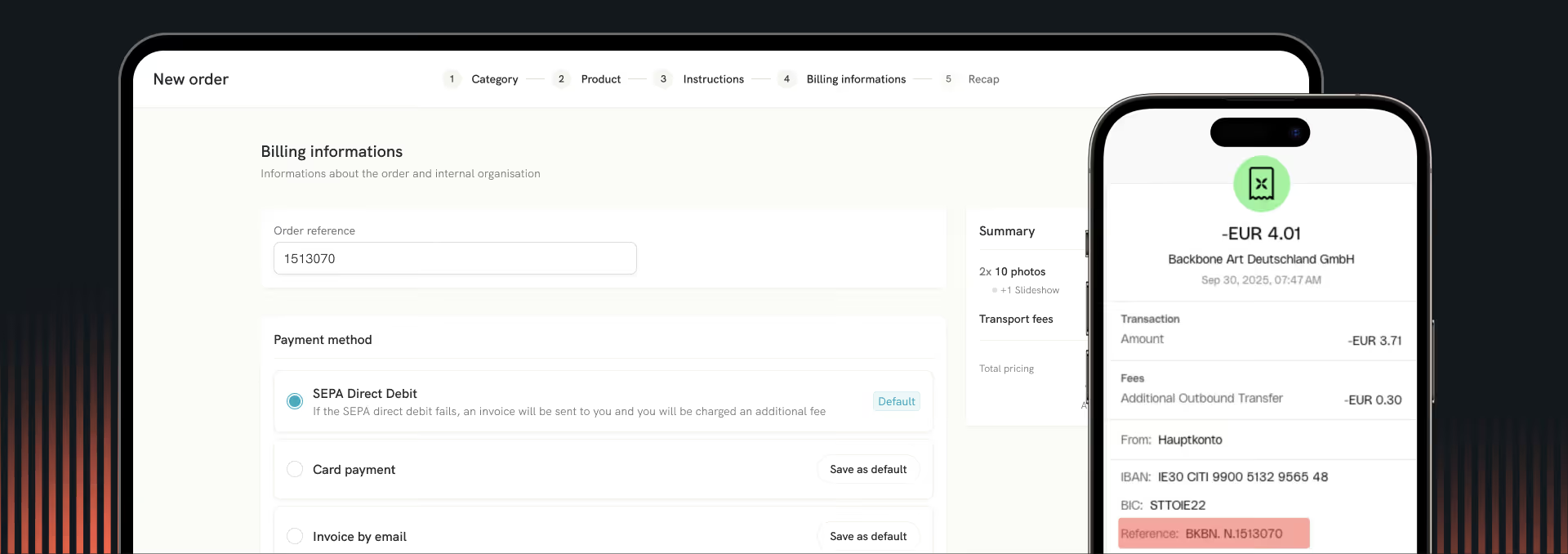
What has been added
Enhanced SEPA payment transparency with automatic order ID display in bank statements.
- Order ID automatically included in bank statement descriptions
- Applies to all new orders placed via SEPA payment method
- No additional setup required - works automatically
How it benefits you
Every SEPA order now clearly identifies itself in your bank statements, making expense tracking and accounting reconciliation effortless. Whether you're managing multiple properties or preparing financial reports, you'll always know exactly which payment corresponds to which Backbone order.
Try SEPA payment
Back to preview
September 23, 2025
Exterior Shoot Service
Added
What has been added
We introduced a standalone exterior photography product to address privacy concerns, regulatory requirements, and seasonal marketing needs.
How it benefits you
You can obtain professional exterior photos when interior access isn't possible or when you need compliance documentation.
Learn more
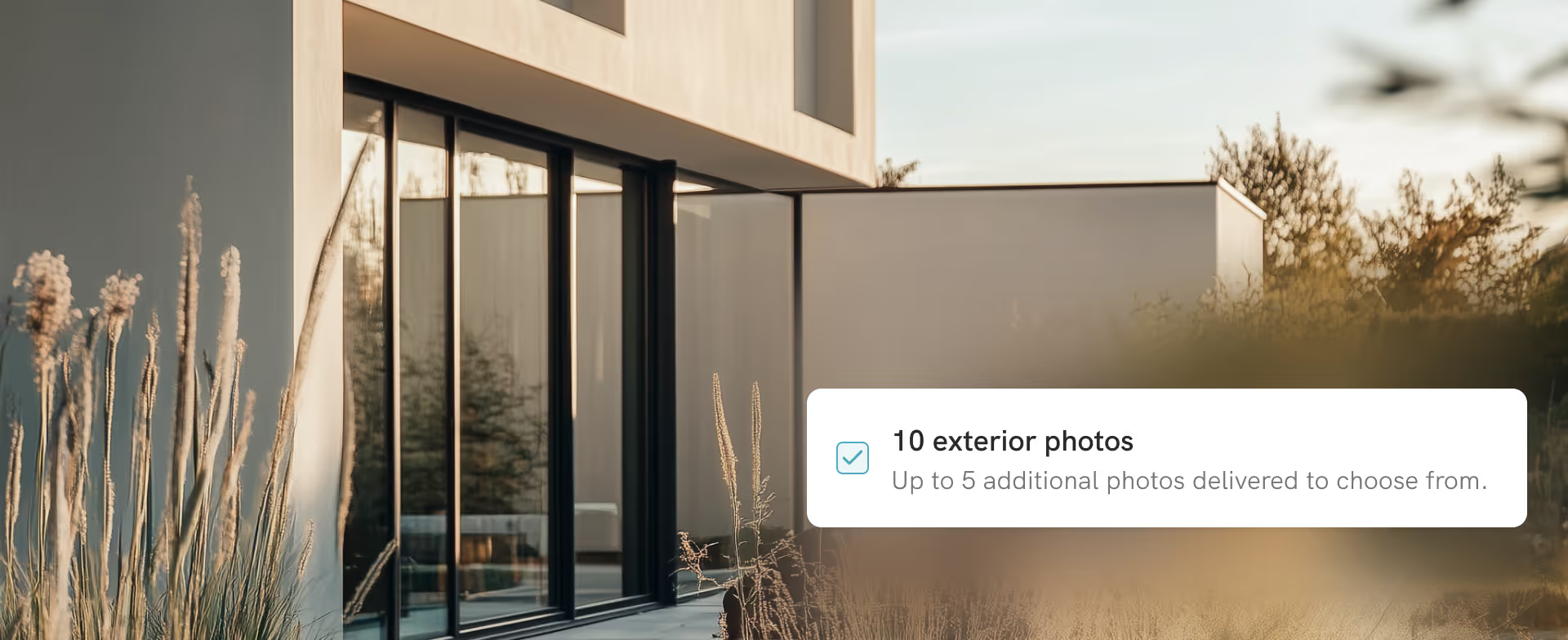
What has been added
We added a dedicated exterior photography service to solve specific challenges in property marketing. This standalone product addresses situations where interior access is restricted and provides documentation for regulatory purposes.
- Introduced standalone exterior photo shoots (no interior access required)
- Created solutions for privacy-conscious tenants who refuse interior access
- Added compliance-focused photography for delivery companies, insurance providers, and city inspectors
- Designed support for high-value properties with attractive outdoor spaces
- Included facade, garden, streetscape, and facility photography options
How it benefits you
You can secure professional property photography even when tenants restrict interior access. The service also provides images that meet regulatory requirements for insurance, delivery services, and municipal inspections. This is particularly useful for updating seasonal marketing materials and showcasing properties where outdoor amenities are key selling points.
Book Exterior Service
Back to preview
September 16, 2025
AI Magic Eraser
Added
What has been added
We integrated an AI-powered tool to remove objects from photos using a brush interface.
How it benefits you
You can edit photos directly in your browser to remove unwanted elements from property images.
Learn more
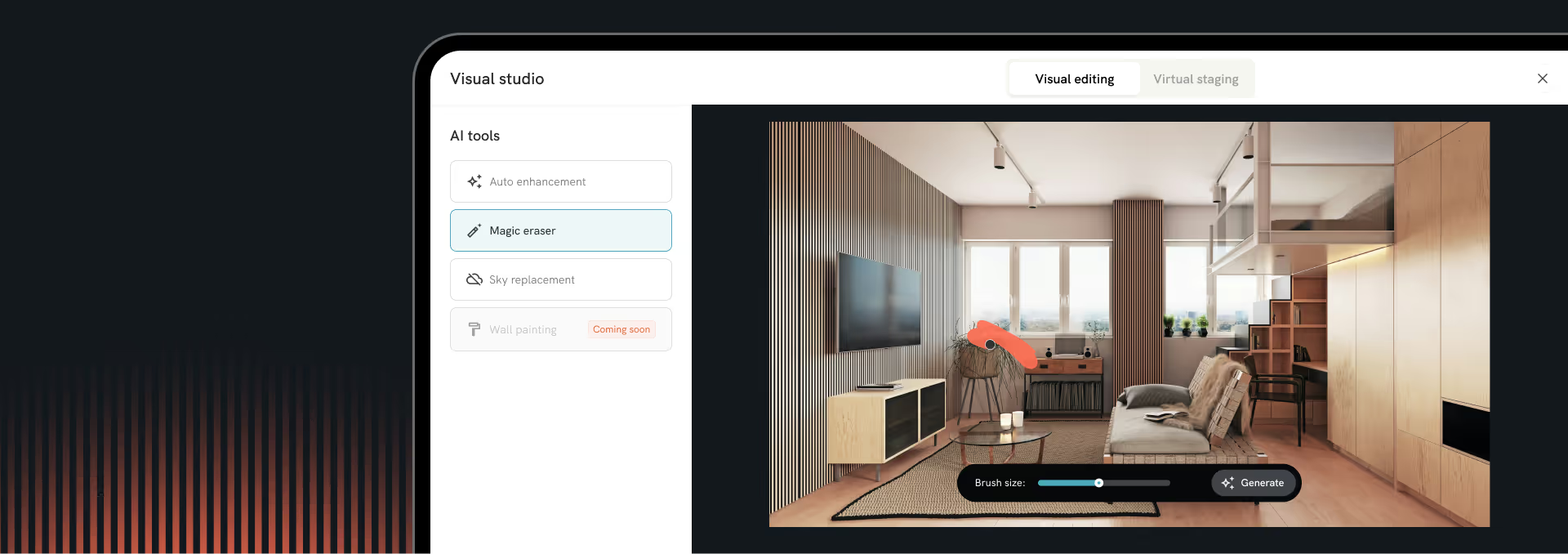
What has been added
We integrated an AI-powered object removal tool into the photo editing interface. The tool uses a brush selection method to identify and remove unwanted elements.
- Implemented brush-based selection interface for marking objects to remove
- Added AI-powered background reconstruction after object removal
- Included preview functionality before applying changes
- Provided option to save as new image or replace original
- Integrated into existing photo gallery workflow
How it benefits you
You can remove unwanted objects (people, cars, clutter) from property photos without external editing software. The tool processes directly in the platform, maintaining your existing workflow.
Watch the video
Back to preview
